
Understanding Website Accessibility Today
Websites have fundamentally changed how the world operates. Most business interactions and services now happen online. While companies know they need a web presence, many overlook a crucial element - making their sites accessible to everyone, including those with disabilities. The increasing focus on digital inclusion has created strong demand for accessibility tools and solutions.
The Current State of Web Accessibility
Looking at accessibility today reveals concerning gaps. A 2023 evaluation of one million popular websites found that 96.3% failed to meet basic Web Content Accessibility Guidelines (WCAG 2.0 Level AA standards). This means less than 4% of leading websites are fully accessible to users with disabilities. Progress remains slow despite growing awareness. Learn more in this detailed analysis: Web Accessibility Statistics
The Business Case for Accessibility
Making websites accessible offers clear business advantages beyond meeting legal requirements. The most direct benefit is reaching more potential customers - specifically the over one billion people globally who have disabilities. This represents a major untapped market opportunity.
Companies that prioritize accessibility also build stronger brands and customer relationships. Making sites accessible demonstrates a real commitment to serving all users. This builds trust and loyalty while positioning the business as socially responsible.
Converting Challenges to Growth
While some see accessibility as complex and expensive, smart organizations view it as an opportunity. Building accessibility into websites from the start leads to better designs that work for everyone. This proactive approach reduces development time, prevents costly fixes later, and results in more effective websites overall.
Focusing on accessibility also drives positive change through innovation. The need to solve accessibility challenges leads to creative solutions that improve the experience for all users. Rather than viewing it as just a compliance issue, accessibility investments create better digital experiences that benefit everyone while expanding market reach.
Breaking Down Accessibility Barriers Step by Step

Making websites accessible doesn’t need to be complex. By focusing on key issues and practical solutions, organizations can take meaningful steps toward digital inclusion. The goal is to create websites that work well for everyone, regardless of their abilities.
Keyboard Navigation: Unlocking the Site for All
Keyboard navigation is essential for many web users. People with motor impairments and keyboard shortcut enthusiasts rely on being able to use websites without a mouse. Every clickable element - menus, buttons, forms, and links - must be reachable using the Tab key in a sensible order. Think about trying to buy something online if you couldn’t tab to the “add to cart” button. This small but critical detail affects whether someone can use your site at all.
Screen Reader Compatibility: Giving a Voice to Your Content
Screen readers convert web content into speech for visually impaired users. For these tools to work properly, images need clear **alt text** that describes what's shown. Headers, lists and page structure must also follow standard formats to provide context. Just like audio descriptions help blind movie viewers understand the action, proper screen reader support helps users comprehend your content.Addressing Common Accessibility Errors
Basic accessibility issues remain widespread on the web. Research shows that 84% of web pages fail contrast requirements for text readability. Additionally, 58% of pages are missing alt text for images, 50% contain empty links, and 46% lack proper form labels. Check out the WebAIM Million report for full details. Fixing these common problems can dramatically improve usability for all visitors.
Prioritizing Fixes for Maximum Impact
While perfect accessibility takes time, focus first on changes that help the most users. Start with keyboard navigation and image descriptions before tackling smaller issues. This targeted approach, like fixing major leaks before minor ones, helps organizations make meaningful progress quickly. The key is identifying and addressing the most impactful barriers first.
Creating Sustainable Solutions
Web accessibility requires ongoing attention as sites grow and change. Success comes from building accessibility into design and development from the start, not treating it as an add-on. Clear guidelines and regular training help teams maintain accessible practices over time. This approach saves effort in the long run while creating better experiences for everyone who visits your site.
Mastering WCAG Implementation for Real Results
Making complex accessibility guidelines work effectively is essential for creating truly accessible websites. This section provides clear, actionable steps to implement WCAG (Web Content Accessibility Guidelines) that any team can follow.
Understanding WCAG: A Foundation for Accessibility
WCAG is the leading global standard for website accessibility. These guidelines help make web content accessible to people with visual, auditory, cognitive, and motor disabilities. The framework is built on four core principles: Perceivable, Operable, Understandable, and Robust (POUR). Each principle contains specific guidelines with success criteria at three levels: A, AA, and AAA.
Implementing WCAG: Practical Steps for Success
Here’s how to effectively put WCAG into practice:
Conduct an Accessibility Audit: Start with a thorough review of your website against WCAG guidelines to find accessibility issues. While automated tools can help identify basic problems like missing alt text, human testing is crucial for evaluating if elements like alt text descriptions are truly meaningful and helpful.
Prioritize Based on Impact: Focus first on fixing issues that most affect users’ ability to access your content. For example, making sure keyboard navigation works properly should take priority over minor visual inconsistencies, since broken keyboard access can completely block some users.
Implement Solutions Strategically: Address problems systematically using appropriate accessibility fixes. This includes adding descriptive alt text to images, creating logical heading structures, and using ARIA labels to explain dynamic content. For interactive elements, ARIA attributes help screen readers understand and convey their purpose.
WCAG in Action: Real-World Examples
Here are practical examples of WCAG principles:
Images: Consider a hotel website with room photos but no alt text. Screen reader users would only hear “graphic” repeated, missing key details. Adding descriptions like “Spacious deluxe suite with two queen beds and ocean view” makes images meaningful.
Forms: Unclear form labels create barriers. A field simply labeled “Name” leaves users guessing what to enter. Clear labels like “First Name” and “Last Name” remove confusion, similar to having clear signs in a physical space.
Navigation: Poor keyboard navigation can make a site unusable for many people. If someone can’t tab to reach a “Book Now” button, they can’t complete their reservation. Making all interactive elements keyboard-accessible is vital.
Measuring Success and Maintaining Momentum
WCAG implementation requires ongoing attention. Regular testing and updates help maintain accessibility standards over time. Like maintaining a building’s structure, continuous monitoring keeps your website accessible to all users. Making WCAG practices part of your development process shows real commitment to equal access and creates better experiences for everyone.
Building Your Accessibility Testing Arsenal

Testing websites for accessibility is essential for creating digital experiences that work for everyone. A well-planned testing approach combines automated tools with hands-on testing to catch issues early and ensure nothing gets missed.
Automated Testing: A First Line of Defense
Automated testing tools help spot common accessibility problems quickly. Popular tools like WAVE, aXe, and Lighthouse can scan your site’s code to flag issues like missing image descriptions, poor color choices, and keyboard navigation problems. Keep in mind that these tools typically find only 30-40% of accessibility issues - they’re just one part of a complete testing strategy.
Manual Testing: The Human Element
Manual testing fills in the gaps that automated tools can’t cover. This means having real people, including those with disabilities, use your website and share their experiences. Testing with screen readers reveals whether content makes sense for visually impaired users. Keyboard-only testing helps find areas where users might get stuck. This direct feedback shows how accessibility features work in actual use.
Combining Automated and Manual Testing
The best results come from using both automated and manual testing together. Think of it like editing a document - spell check catches basic errors, but you need a human editor to check meaning and flow. Here’s how the two approaches compare:
| Feature | Automated Testing | Manual Testing |
|---|---|---|
| Speed | Fast | Slower |
| Cost | Lower initial cost | Higher cost per test |
| Coverage | Limited to identifiable code issues | Covers wider range of user experience issues |
| Accuracy | Can produce false positives and negatives | More accurate in reflecting real user experience |
Integrating Testing into Your Workflow
Make accessibility testing part of every development stage rather than an afterthought. Developers can run quick automated checks while coding to catch issues immediately. Include manual testing during user acceptance testing to get comprehensive feedback. Building accessibility testing into regular workflows helps create websites that truly work for everyone.
Creating an Accessibility-First Development Culture

Building accessible websites goes far beyond just fixing issues after the fact. It requires a complete shift in how development teams think about and approach accessibility from the start. When teams make accessibility a core priority, they build better websites for everyone.
Training and Education: Empowering Your Team
Teams need practical knowledge to build accessible websites effectively. Thorough training on WCAG guidelines gives developers essential skills like writing descriptive alt text, structuring content for screen readers, and ensuring keyboard navigation works properly. With the right training, developers see accessibility as a natural part of good design rather than an obstacle.
Establishing Clear Accessibility Guidelines
Well-defined guidelines help teams consistently build accessible features. The best guidelines break down complex concepts into specific, actionable steps focused on common issues like:
- Color contrast requirements
- Keyboard navigation patterns
- Proper use of ARIA labels
- Semantic HTML structure
Including clear examples of both good and poor implementations helps teams understand expectations.
Building Accountability: Integrating Accessibility into Workflows
Make accessibility checks a standard part of development by:
- Adding accessibility testing to code reviews
- Using automated testing tools to catch basic issues
- Including users with disabilities in manual testing
- Making accessibility part of QA signoff requirements
This prevents accessibility from becoming an afterthought.
Balancing Technical Requirements with Creative Freedom
Some worry accessibility rules limit creativity. But treating accessibility as a design challenge often leads to more innovative and user-friendly solutions. Understanding diverse user needs inspires better designs that work well for everyone.
Maintaining Momentum: Celebrating Successes and Addressing Challenges
Cultural change takes time and consistent effort. Recognize team progress and tackle obstacles openly. Consider:
- Designating accessibility champions to promote best practices
- Sharing accessibility wins in team meetings
- Creating spaces to discuss and solve challenges
- Regularly reviewing and updating guidelines
By making accessibility improvement an ongoing priority, teams create truly inclusive websites that serve all users well.
Sustaining Long-Term Accessibility Success
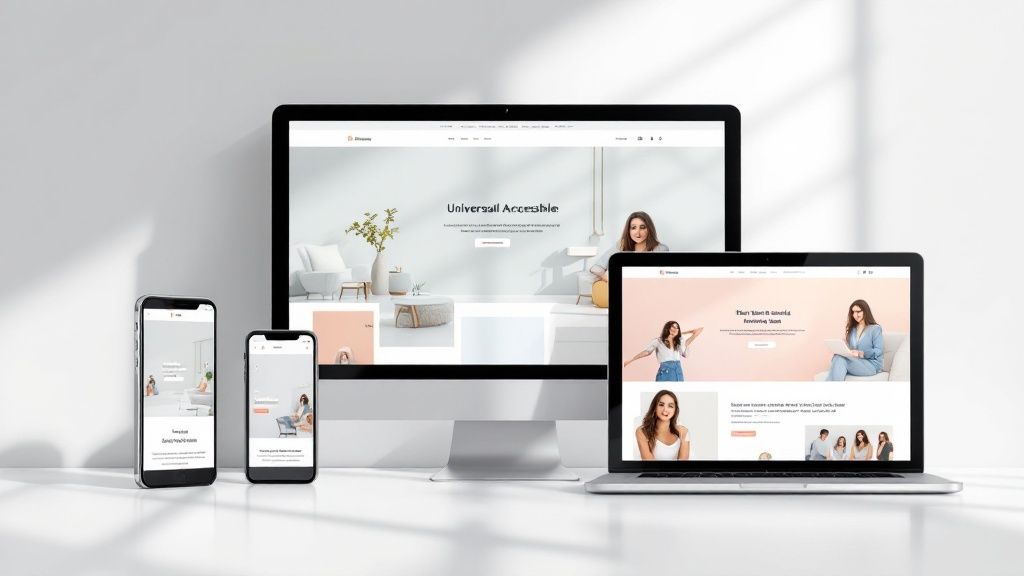
Making a website accessible isn’t something you do once and forget about. It requires an ongoing commitment to maintain and improve accessibility as your site grows and changes. Just like physical buildings need regular upkeep, your website needs consistent attention to stay accessible to all users.
Building a Sustainable Accessibility Framework
To maintain accessibility properly over time, you need these key components:
Documentation: Keep detailed records of all accessibility features and fixes. This creates a reference guide for future updates and helps maintain consistency. Good documentation serves as your roadmap for ongoing development.
Training: Regular skill-building keeps your team sharp on accessibility best practices. When developers learn accessibility from the start, they prevent issues before they happen. Schedule periodic training sessions to stay current with standards.
Regular Testing: Conduct both automated and manual accessibility checks frequently. Like regular health checkups, this ongoing monitoring catches issues early and keeps your site running smoothly.
Cultivating an Accessibility-First Culture
Making accessibility part of your organization’s DNA is essential for long-term success.
Team Buy-In: Help everyone understand their role in accessibility. When the whole team sees accessibility as their responsibility, they actively look for ways to improve it.
Clear Communication: Keep stakeholders informed about accessibility goals and progress. Being transparent builds support and helps everyone understand why accessibility matters.
Room to Grow: Create accessibility processes that can expand with your organization. As your website and team get bigger, your accessibility practices should scale up too.
Measuring Long-Term Success
Track your progress to show the real impact of your accessibility work:
User Input: Ask people with disabilities to test your site and share feedback. Their real-world experience shows what works and what needs improvement. This direct input is priceless for making meaningful updates.
Key Numbers: Track specific data points like the number of accessibility issues found and fixed. These metrics help you spot patterns and measure improvements over time.
Standards Check: Stay current with WCAG guidelines and legal requirements. Regular compliance reviews help avoid accessibility gaps and legal issues.
By following these practical steps, organizations can move beyond quick fixes to build lasting accessibility solutions that work for everyone.
Want to create an accessible website that works for all users? GWC builds custom websites for small businesses and personal projects with accessibility baked in from day one. Visit us to learn how we can help make your site more accessible.